Recording coming soon5:00 / 0:15Manual / Survey Emailer
Side-by-side stopwatch comparison
Follow both methods on the same survey, with a stopwatch in the corner of each view.
 Survey Emailer
 flags missing data and prompts you to verify it before sending. It prepares the entire Classic Outlook draft for your chosen list or group, including the subject line, full email body, and attachments. You simply review the draft and click Send.
One operator’s timed workflow saved 4 minutes 45 seconds per draft. Other workflows may differ.
Spend less time reporting and more time monitoring drilling operations.
Virtually eliminates mistakes. Catches missing information before a client has to ask for a corrected email.
Combine imports, calculations, formatting, and drafting.
Deliver consistent, organized, company-branded reports.
Follow both methods on the same survey, with a stopwatch in the corner of each view.
Follow an operator from file recognition through survey checks and Slide Seen/Ahead confirmation to the Outlook draft with its recipients, subject, and attachments in place.
See the actual interface alongside a realistic, fictional Outlook survey email draft.
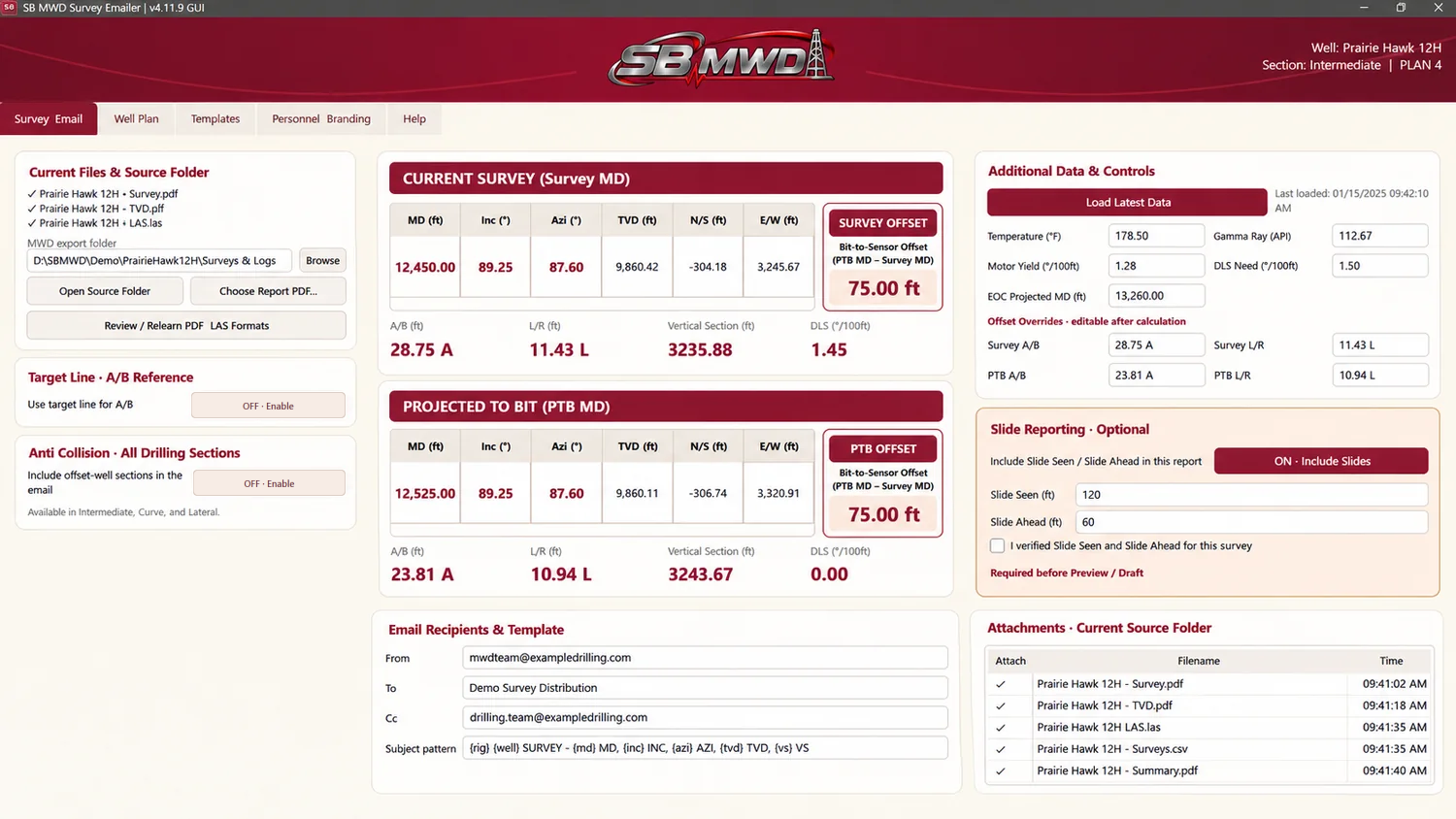
Latest MWD survey information for Prairie Hawk 12H.
| Survey Information | |
|---|---|
| MD: | 12,450.00′ |
| Inc: | 89.25° |
| Azi: | 87.60° |
| TVD: | 9,860.42′ |
| VS: | 3,235.88′ |
| N/S: | -304.18′ |
| E/W: | 3,245.67′ |
| DLS: | 1.45°/100ft |
| Temp: | 178.50°F |
| Gamma Ray: | 112.67 API |
| A/B: | 28.75 A |
| L/R: | 11.43 L |
| PTB — Projected to Bit | |
|---|---|
| MD: | 12,525.00′ |
| Inc: | 89.25° |
| Azi: | 87.60° |
| TVD: | 9,860.11′ |
| N/S: | -306.74′ |
| E/W: | 3,320.91′ |
| VS: | 3,243.67′ |
| DLS: | 0.00°/100ft |
| A/B: | 23.81 A |
| L/R: | 10.94 L |
| Steering Info | |
|---|---|
| Slide Seen: | 120 ft |
| Slide Ahead: | 60 ft |
| Rig Site Personnel |
|---|
Everything you need to prepare consistent reporting without repetitive, error-prone manual work.
Extract MD, Inc, Azi, TVD, VS, and PTB values from supported survey exports.
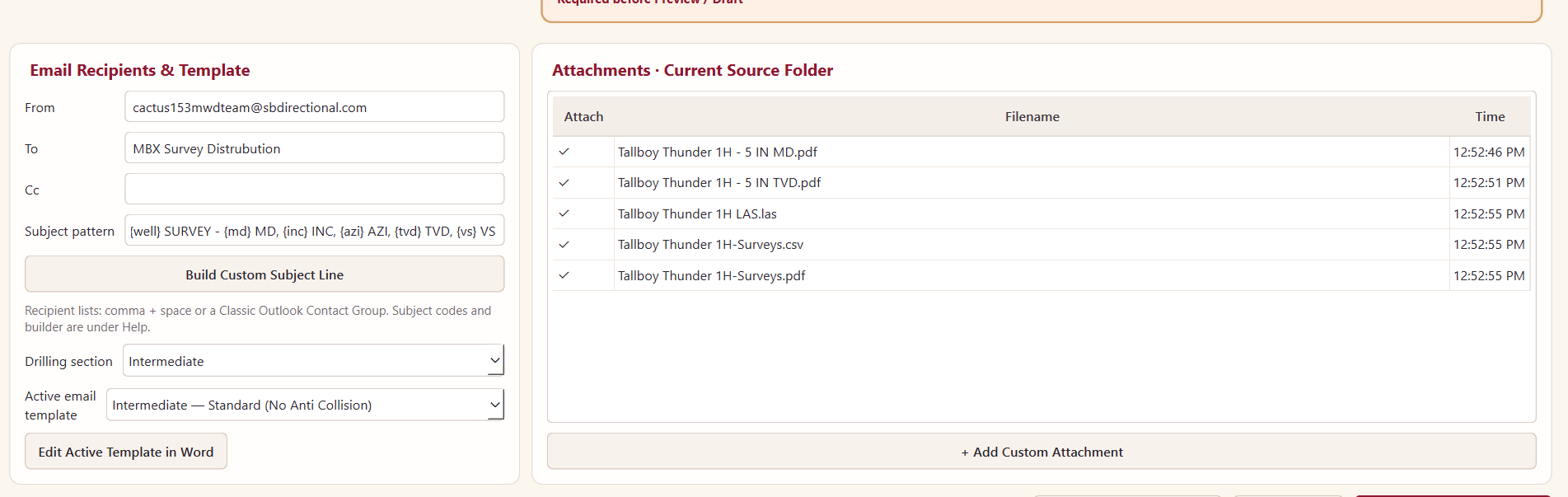
Send to any email address. Survey Emailer fills in your saved recipient list or distribution group and the subject line on every draft.
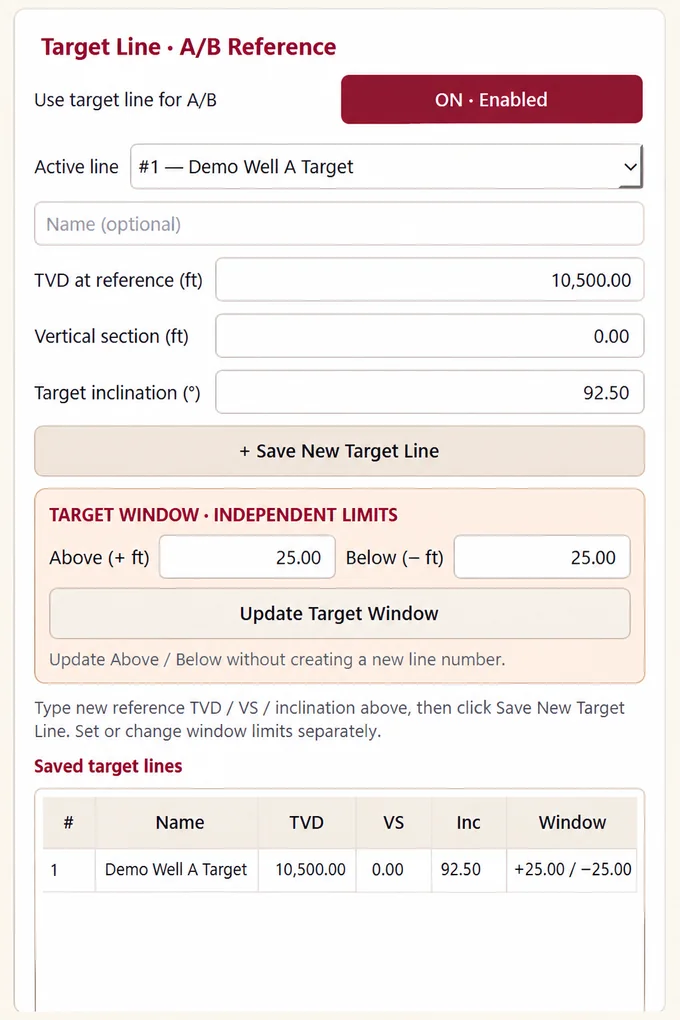
Display survey and PTB Above/Below and Left/Right based on imported plans.
Survey Emailer automatically calculates how far the survey is above or below your selected target line. You can save target references and adjust the target window while keeping left/right offsets referenced to the well plan.
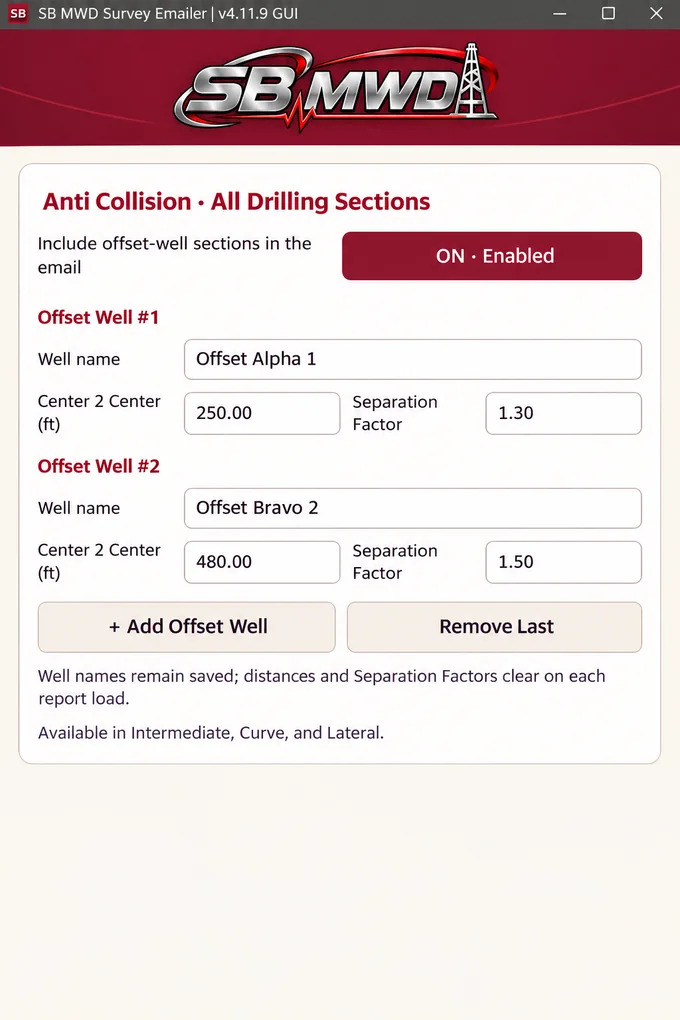
Report multiple offset wells with center-to-center and separation factor fields.
Work with reports from any MWD software. The importer recognizes familiar survey terms such as MD, Inc, and Azi across different report layouts. For a new layout, verify the field mapping and units against the source, then reuse the approved mapping on future reports.
Include valid LAS sensor readings and use them in custom subjects.
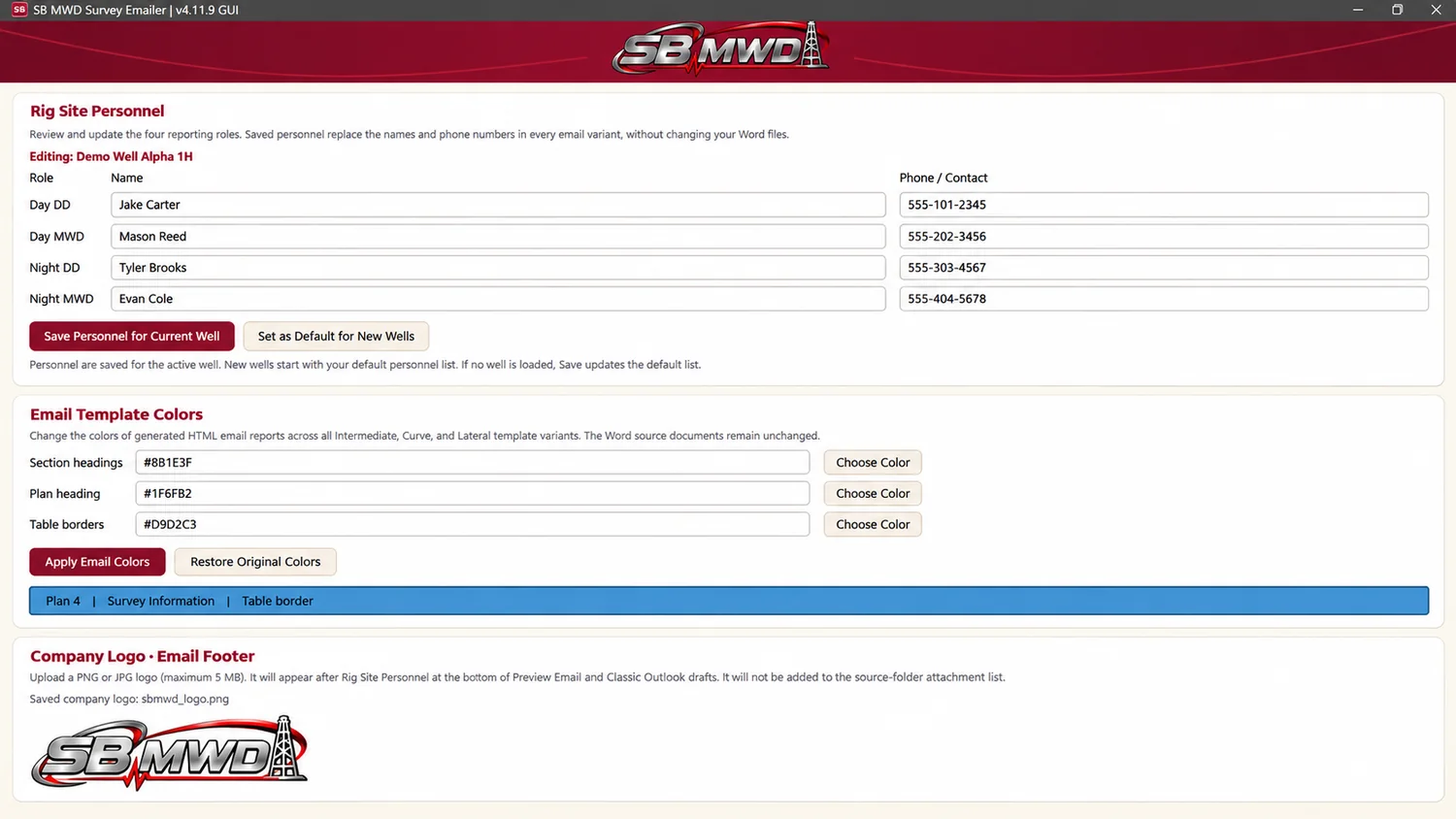
Edit your Word templates to match the reporting format your company uses. Include your logo, colors, and rig-site personnel details in each draft.
Verify information, preview the email, review attachments, and send it yourself.
Four simple steps from exported survey report to professional email.
Load a supported export. Survey Emailer looks for familiar MWD terms. For a new layout, check the fields and units, then reuse the approved mapping next time.
Review flagged gaps in required survey and projected-to-bit (PTB) data. Confirm Slide Seen and Slide Ahead when prompted, then check the readings against the source.
Survey Emailer fills in the To field with your list or group, completes the subject line, and attaches the files to every Classic Outlook draft.
Keep full operator control over the recipients and final delivery.
Estimate savings using the 5-minute manual versus 15-second timed comparison.
Estimates based on one timed workflow test. Actual savings vary with complexity, report format, and setup.
No. It creates a draft in Classic Outlook for the operator to review and send.
This release is designed for the Windows desktop version of Classic Outlook, not New Outlook.
Yes. Export your survey as a PDF that includes projected-to-bit (PTB) data. For an unfamiliar layout, check how the fields and units map to the source report. Reuse the approved mapping the next time you see that layout.
Yes. You can use any address you are set up to send from in Classic Outlook. To connect your own account, choose File > Add Account, enter your email address, and follow the sign-in prompts.
For a shared company address, ask your administrator for mailbox access and permission to send from it. Restart Classic Outlook so the mailbox can appear. In your Survey Emailer draft, choose the shared address in the From field, review the email, and click Send.
No. The result reflects a specific operator's timed 5-minute versus 15-second comparison and may vary by workflow.
No credit card needed. Your trial ends after 14 days. You only pay if you choose to subscribe.
The Windows installer is coming soon.
Subscriptions will open when the Windows installer is available.
$29.99 / month
The first five members who redeem the founder offer keep this rate on monthly renewals.
$59.99 / month
Monthly access to SB MWD Survey Emailer for Windows.
Sign in with the email you used at checkout and open your Survey Emailer order. Choose Manage Subscription to cancel or resume. You can resume before your paid period ends.
Manage my subscription Request a Demo